Internet in Japan: eSIM vs SIM Card vs Pocket Wi-Fi for Tourists
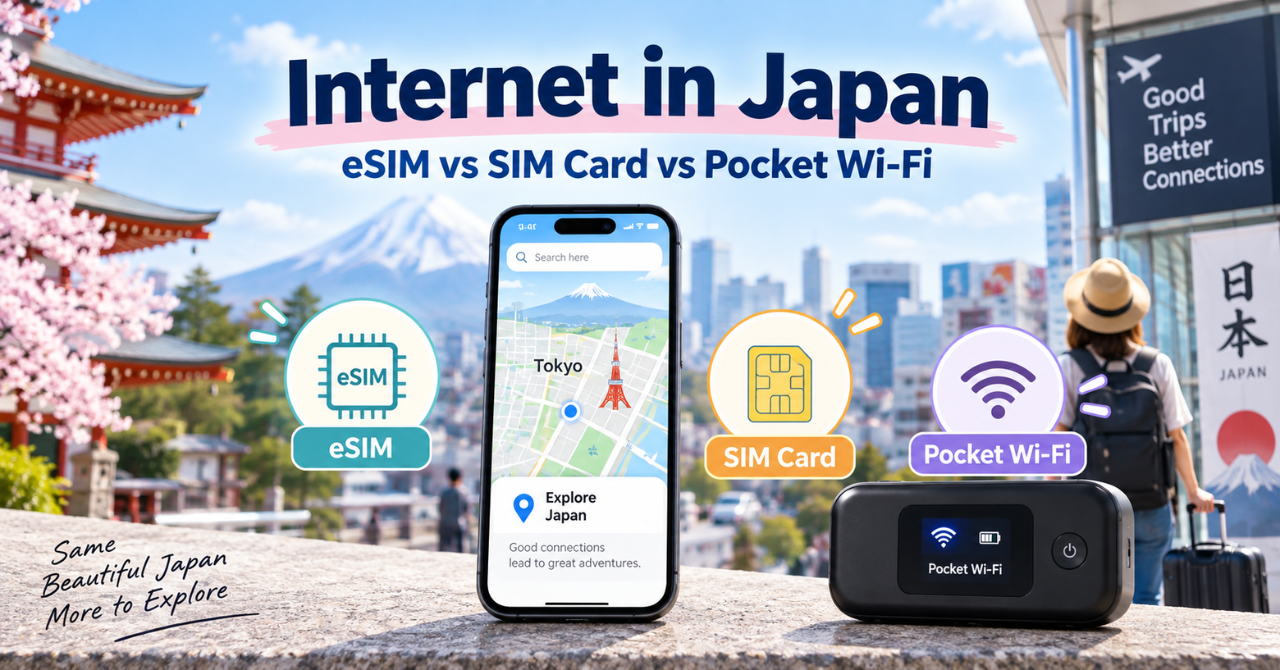
Having reliable Internet in Japan can make traveling around the country much easier.
You may need your smartphone to use maps, check train routes, translate Japanese, make reservations, communicate with your hotel, or search for places to visit.
Travelers have several ways to stay connected, including eSIMs, physical SIM cards, pocket Wi-Fi devices, and free public Wi-Fi.
Each option has different advantages depending on your phone, the length of your trip, how many people you are traveling with, and how much data you need.
In this guide, we’ll explain the main options for Internet in Japan, compare eSIMs, SIM cards, and pocket Wi-Fi, and help you choose the best option for your trip.

- Internet Options in Japan
- Using an eSIM in Japan
- Using a SIM Card in Japan
- Using Pocket Wi-Fi in Japan
- Using Free Wi-Fi in Japan
- eSIM vs SIM Card vs Pocket Wi-Fi
- Best Internet Option for Solo Travelers
- Best Internet Option for Families and Groups
- Where to Get Internet Access in Japan
- How Much Does Internet in Japan Cost?
- What to Check Before Using Internet in Japan
- Can You Travel Japan Using Only Free Wi-Fi?
- Common Internet Problems and How to Fix Them
- Final Tips for Staying Connected in Japan
Internet Options in Japan
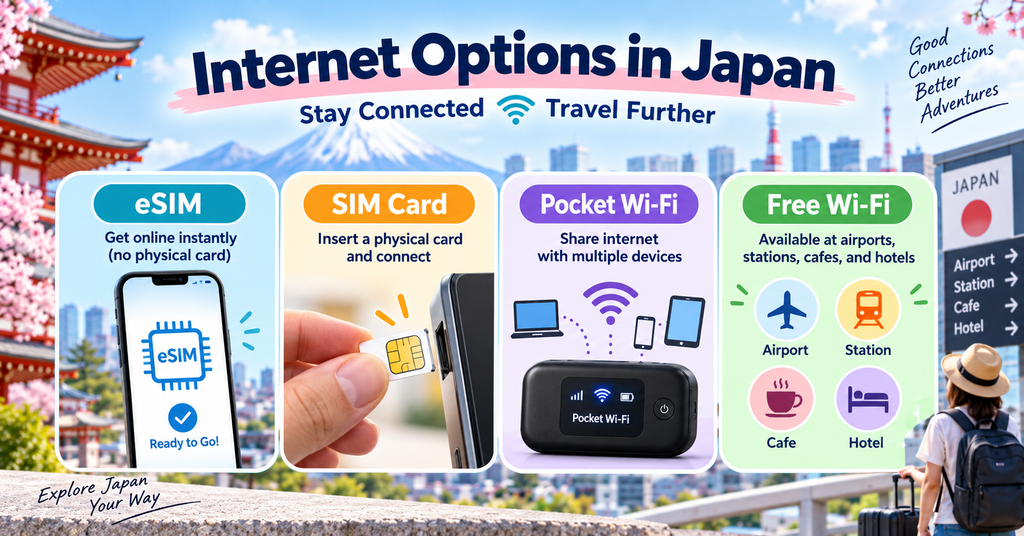
There are several ways for international travelers to access the internet in Japan.
An eSIM allows you to activate a mobile data plan digitally without inserting a physical SIM card, as long as your smartphone supports eSIM technology.
A physical SIM card works in a similar way but must be inserted into your phone. Your device usually needs to be unlocked before you can use a Japanese travel SIM.
Pocket Wi-Fi is a small portable router that creates a private Wi-Fi connection for your smartphone, tablet, laptop, or multiple devices.
Free Wi-Fi is also available at many airports, hotels, train stations, cafes, shopping centers, and other public places.
However, free Wi-Fi coverage and connection quality can vary, especially outside major cities.
The best option depends on your device, travel style, number of travelers, and how often you expect to use the internet during your trip.
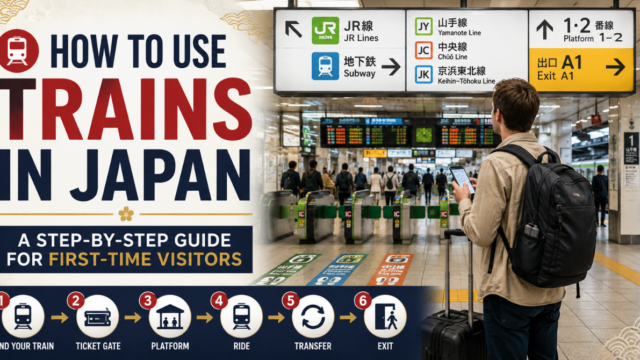
Reliable internet is especially useful when checking train routes and transfers. Our train guide also explains how to use stations, ticket gates, platforms, and transfers in Japan.
Using an eSIM in Japan
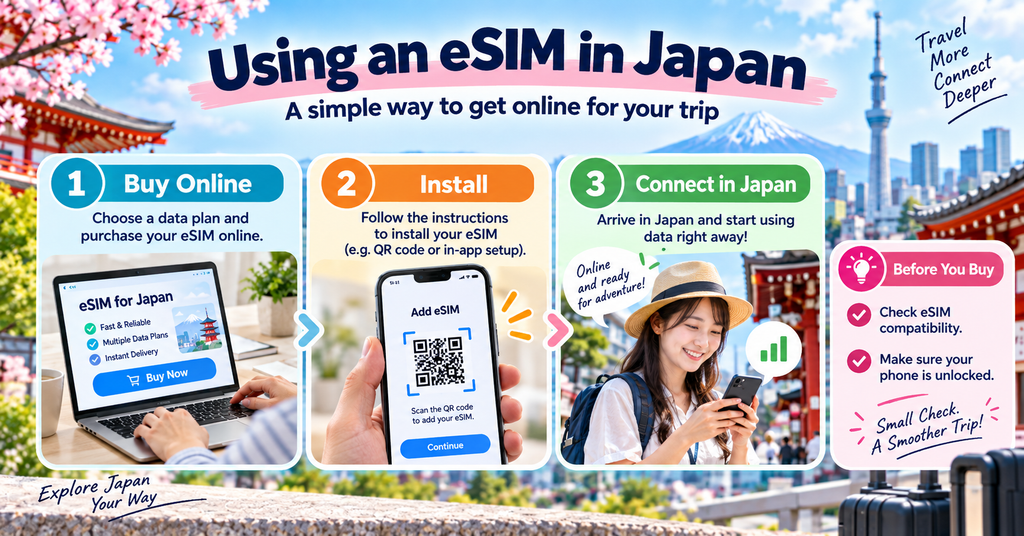
An eSIM is one of the easiest ways for travelers to get mobile internet access in Japan.
Instead of inserting a physical SIM card, you can purchase a data plan online and install it directly on a compatible smartphone.
Many travelers set up their eSIM before arriving in Japan so they can connect to the internet soon after landing.
An eSIM can be convenient because you do not need to visit a store, rent a separate device, or return anything at the end of your trip.
It is especially useful for solo travelers who mainly need internet access on one smartphone for maps, train information, translation apps, and messaging.
Before purchasing an eSIM, check that your phone supports eSIM technology and that it is unlocked for use with other mobile networks.
Data allowances, connection speeds, coverage, and validity periods vary depending on the provider and plan.
It is also a good idea to keep the installation instructions available offline in case you have trouble connecting after arriving in Japan.
If you use an iPhone, Apple also provides official instructions for using an eSIM while traveling internationally.
Using a SIM Card in Japan
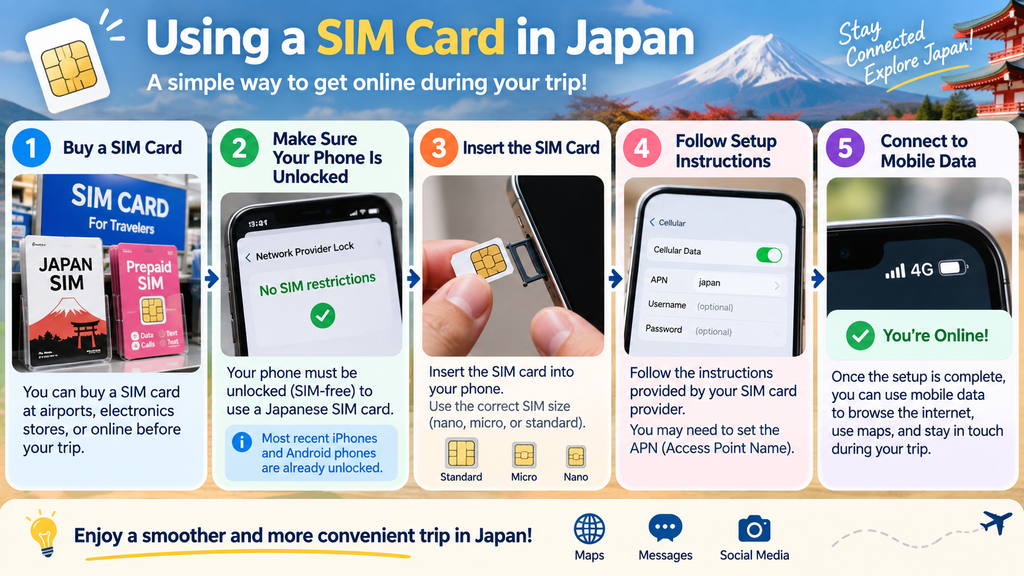
A physical SIM card is another common way for travelers to get mobile internet access in Japan.
You can buy a prepaid travel SIM before your trip, at major airports, electronics stores, or other locations after arriving in Japan.
To use a physical SIM card, your smartphone usually needs to be unlocked and compatible with the mobile network used by the SIM provider.
After inserting the SIM card, you may need to follow setup instructions before mobile data starts working.
A physical SIM can be a good option for travelers who do not have an eSIM-compatible phone or who prefer using a traditional SIM card.
Unlike pocket Wi-Fi, there is no separate device to carry or recharge.
However, replacing your regular SIM means you should store it safely during your trip so you do not lose it.
Before buying a SIM card, check the data allowance, validity period, network coverage, and whether the plan includes only data or also supports calls and text messages.
Some travel eSIMs and prepaid SIM cards provide mobile data only and may not include a Japanese phone number, voice calls, or SMS.
If you need to make phone calls or receive text messages during your trip, check what is included in the plan before purchasing it.
You may also be able to keep your regular SIM active for calls or messages while using a travel eSIM for mobile data, but international roaming charges may apply depending on your carrier.
Using Pocket Wi-Fi in Japan
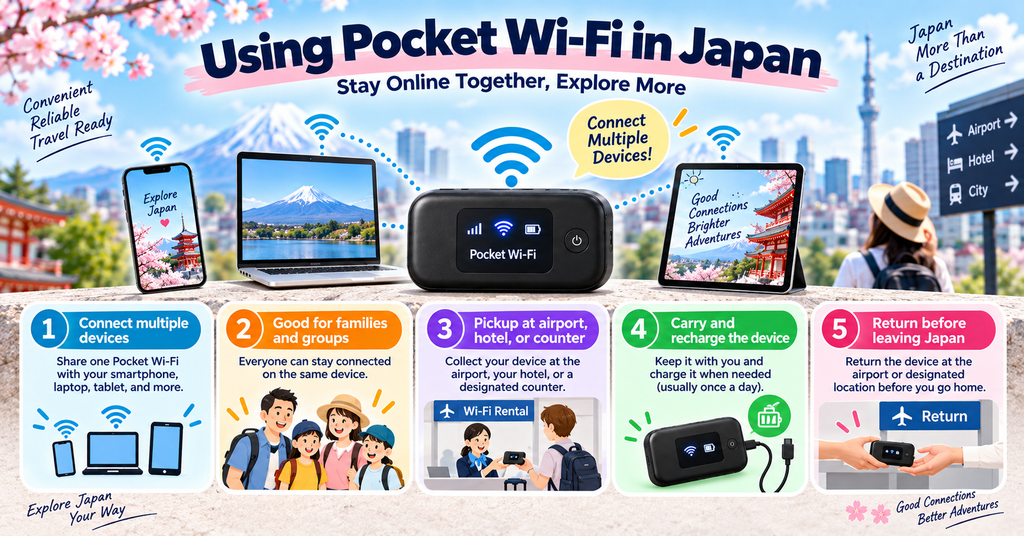
Pocket Wi-Fi is a small portable router that creates a private Wi-Fi connection for your devices while traveling in Japan.
It can be useful if you want to connect multiple devices, such as smartphones, tablets, or laptops, at the same time.
Pocket Wi-Fi is especially convenient for families, couples, or groups who want to share one internet connection.
You can usually rent a device online before your trip and collect it at a major airport, hotel, or designated pickup location.
Some services also allow delivery to your accommodation.
Because pocket Wi-Fi uses a separate device, you need to keep it charged and carry it with you during the day.
You should also remember to return the device before leaving Japan, following the rental company’s instructions.
Before renting pocket Wi-Fi, check the data limit, connection speed, coverage, battery life, rental period, and return method.
For travelers who need internet on several devices, pocket Wi-Fi can be a flexible and convenient option.
Using Free Wi-Fi in Japan
Free Wi-Fi is available in many places across Japan, including major airports, hotels, train stations, cafes, shopping centers, and tourist facilities.
It can be useful for checking maps, sending messages, or looking up information when you do not want to use mobile data.
However, free Wi-Fi is not always available everywhere, and connection quality can vary depending on the location.
Some networks may also require you to register with an email address, accept terms of use, or reconnect after a certain period of time.
Free public Wi-Fi is usually better as a backup option rather than your main internet connection during your trip.
If you rely only on free Wi-Fi, you may have trouble connecting while walking between attractions, using trains, or traveling in rural areas.
For a smoother trip, it is usually better to have an eSIM, SIM card, or pocket Wi-Fi as your main connection and use free Wi-Fi when it is convenient.
For official information about Wi-Fi and connectivity in Japan, check the Japan National Tourism Organization’s guide.
eSIM vs SIM Card vs Pocket Wi-Fi
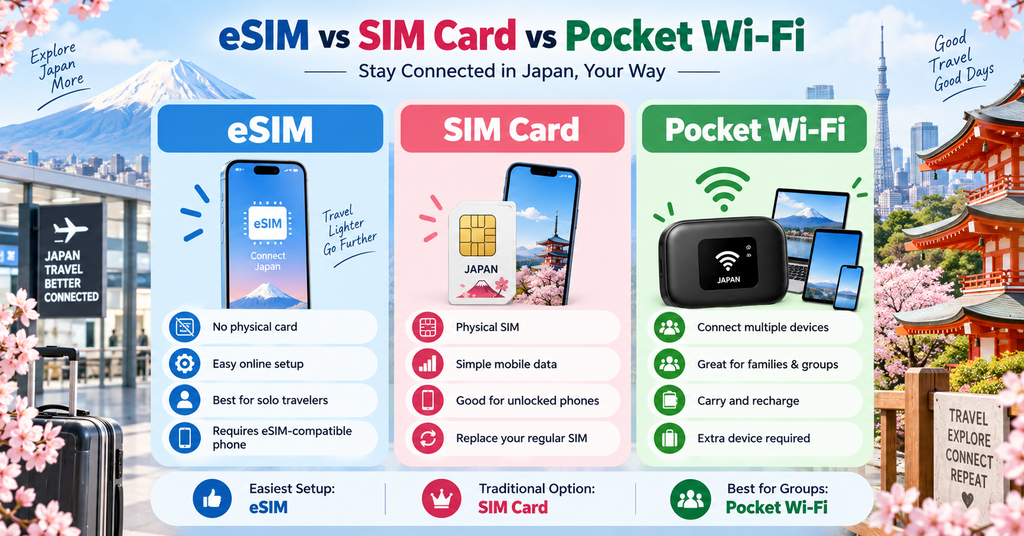
| Option | Best For | Main Advantage | Main Drawback |
|---|---|---|---|
| eSIM | Solo travelers | No extra device or physical SIM | Requires an eSIM-compatible phone |
| SIM Card | Phones without eSIM | Simple mobile data connection | You need to replace your regular SIM |
| Pocket Wi-Fi | Families and groups | Multiple devices can connect | Must carry, charge, and return the device |
| Free Wi-Fi | Backup use | Free | Coverage and quality can vary |
eSIMs, physical SIM cards, and pocket Wi-Fi can all provide reliable internet access in Japan, but each option is better for a different type of traveler.
An eSIM is convenient because there is no physical card or extra device to carry. It is a good choice for travelers who have an eSIM-compatible phone and want a simple setup.
A physical SIM card is useful for travelers whose phones do not support eSIM or who prefer using a traditional SIM.
Pocket Wi-Fi is usually better for families, couples, or groups because several devices can connect to one portable router at the same time.
eSIMs and SIM cards allow you to stay connected directly through your smartphone, while pocket Wi-Fi requires you to carry and charge a separate device.
Pocket Wi-Fi may also be useful if you need internet access on a laptop or tablet in addition to your phone.
When choosing between these options, consider your device compatibility, number of travelers, data needs, trip length, and whether you want to carry an extra device.
There is no single best option for everyone, so choose the one that fits your travel style and devices.
Best Internet Option for Solo Travelers
For many solo travelers, using an eSIM is one of the easiest ways to access the Internet in Japan.
You can install it directly on a compatible smartphone, which means there is no extra device to carry, charge, or return.
This makes an eSIM especially useful if you mainly need internet access for maps, train information, translation apps, messaging, and restaurant searches.
A physical SIM card is also a good option if your phone does not support eSIM or if you prefer using a traditional SIM.
Pocket Wi-Fi can still work for solo travelers, especially if you need to connect a laptop or tablet, but it may be less convenient because you need to carry and recharge an additional device.
If you want the simplest setup with just one smartphone, an eSIM is usually the easiest option.
Before choosing a plan, check your phone compatibility, data allowance, coverage, and how long the plan remains valid.
Best Internet Option for Families and Groups
For families and groups, pocket Wi-Fi can be a convenient way to share Internet in Japan across multiple devices.
Multiple smartphones, tablets, and other devices can connect to the same portable router at the same time.
This can make pocket Wi-Fi a practical option if several people need internet access throughout the day.
However, everyone needs to stay relatively close to the person carrying the device, so it may be less convenient if the group separates.
An eSIM or physical SIM card may be better if each traveler wants their own independent internet connection.
Families with teenagers or groups that often split up may find individual eSIMs or SIM cards more flexible.
When choosing an option, consider how many devices you need to connect, whether the group will stay together, and how much data everyone is likely to use.
If the group usually travels together, pocket Wi-Fi can be simple and cost-effective. If people often separate, individual mobile data plans may be more convenient.
Which Internet Option Is Best for Your Travel Style?
| Travel Style | Recommended Option | Why |
|---|---|---|
| Solo Traveler | eSIM | Easy to set up and no extra device to carry |
| Couple | eSIM or Pocket Wi-Fi | Individual access with eSIM, or one shared connection with Pocket Wi-Fi |
| Family | Pocket Wi-Fi | Multiple devices can connect to one router |
| Group of Friends | Pocket Wi-Fi or Individual eSIMs | Pocket Wi-Fi works well if the group stays together; eSIMs are better if people separate |
| Business Traveler | eSIM | Convenient for maps, messaging, email, and quick setup |
| Laptop or Tablet User | Pocket Wi-Fi | Useful when connecting several devices |
There is no single best option for every traveler.
If everyone stays together, pocket Wi-Fi can be convenient because several devices can share one connection.
If travelers often separate, individual eSIMs or SIM cards may be more practical because each person can stay connected independently.
Where to Get Internet Access in Japan
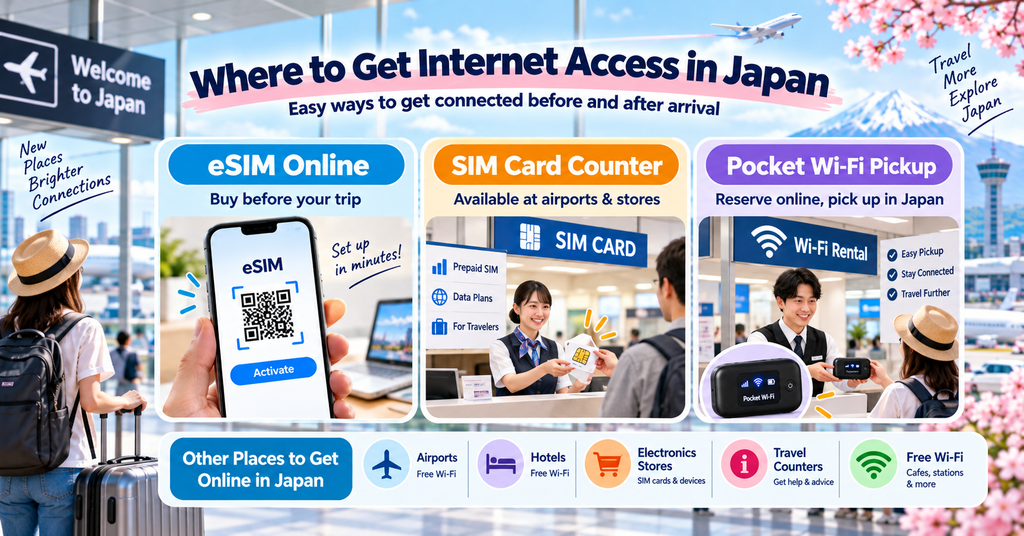
Travelers can get internet access in Japan in several different ways, both before and after arriving.
You can purchase an eSIM online before your trip and install it on a compatible smartphone.
Physical SIM cards are often available at major airports, electronics stores, mobile phone shops, and some travel service counters.
Pocket Wi-Fi devices can usually be reserved online and collected at airports, hotels, or designated pickup locations.
Free Wi-Fi is also available at many airports, hotels, train stations, cafes, shopping centers, and tourist facilities.
Major international airports are especially convenient places to arrange SIM cards or pocket Wi-Fi after arrival.
However, availability can vary depending on the airport, store, provider, and time of day.
If you want to avoid spending time arranging internet access after landing, it is often easier to prepare an eSIM or reserve pocket Wi-Fi before your trip.
Before choosing a service, check where you can pick it up, how it is activated, and whether you need to return any equipment before leaving Japan.
If you are also planning what to do with your suitcase after landing, our luggage delivery guide explains how to send bags from airports to hotels and between accommodations.

How Much Does Internet in Japan Cost?
The cost of internet access in Japan varies depending on the type of service, data allowance, and length of your trip.
Travel eSIMs and prepaid SIM cards can range from a few thousand yen for short-term plans to higher prices for larger data allowances or longer validity periods.
For example, some prepaid travel eSIM plans in Japan cost around ¥2,500 to ¥6,000 depending on the amount of data included.
Pocket Wi-Fi is usually charged per day, and prices can vary widely depending on the data plan and connection speed.
Some rental plans start at a few hundred yen per day, while higher-data or unlimited plans can cost more than ¥1,000 per day.
Free Wi-Fi at airports, hotels, cafes, and other public places does not cost anything, but it is usually less convenient as your main internet connection.
Before choosing a service, compare the total cost for your entire trip rather than looking only at the daily or advertised starting price.
Also check whether there are extra fees for delivery, airport pickup, device return, insurance, or additional data.
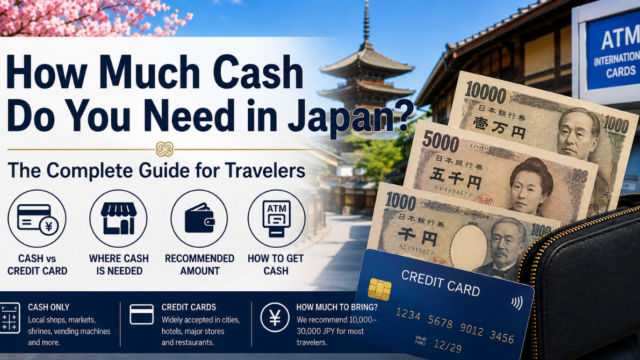
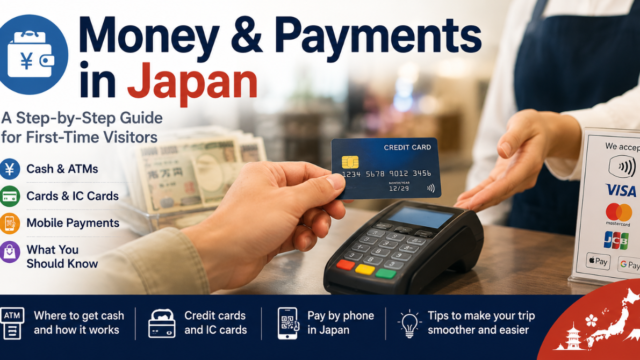
If you are planning your travel budget, our guide to money in Japan explains cash, credit cards, ATMs, and other payment options for tourists.
What to Check Before Using Internet in Japan
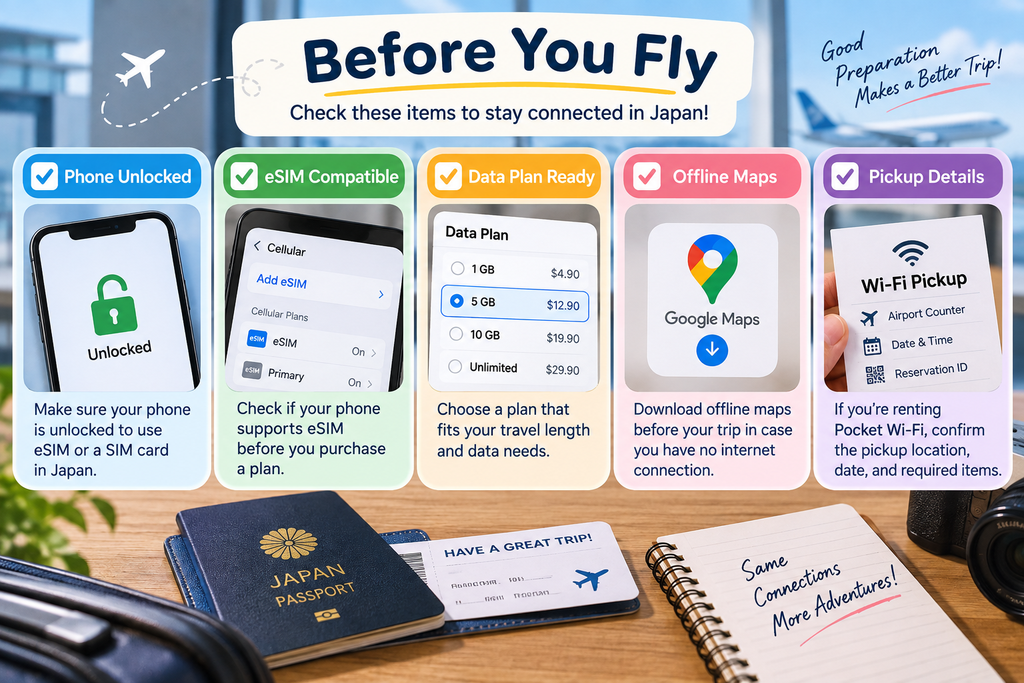
Before arriving in Japan, it is a good idea to prepare your internet connection in advance.
First, check whether your smartphone is unlocked and compatible with the eSIM or SIM card you plan to use.
If you want to use an eSIM, make sure your phone supports eSIM technology and that you know how to install the plan.
If you are renting pocket Wi-Fi, confirm where you will collect the device and how you need to return it before leaving Japan.
You should also check the data allowance, validity period, coverage, and any speed limits that may apply to your plan.
Download important apps, maps, reservation details, and travel documents before your trip so you can still access them if you have connection problems after arrival.
It is also helpful to save setup instructions offline, especially for eSIMs and SIM cards.
Preparing these details before your flight can help you get connected quickly and avoid unnecessary problems after landing in Japan.
You may also want to check our packing guide for other useful items to prepare before traveling to Japan.
Do not assume that every eSIM or SIM card will work with every smartphone.
Before purchasing a plan, check both your phone model and the provider’s compatibility requirements.

Google Pixel users can also check Google’s official eSIM setup instructions before traveling.
Internet Checklist Before Traveling to Japan
| Check | What to Confirm |
|---|---|
| Phone Compatibility | Check whether your smartphone supports eSIM or the SIM card you plan to use |
| SIM Lock | Make sure your phone is unlocked for use with another carrier |
| Data Allowance | Choose enough data for maps, train apps, messaging, and other travel needs |
| Validity Period | Make sure the plan covers your entire trip |
| Coverage | Check whether the provider offers coverage in the areas you plan to visit |
| Activation | Save the setup and activation instructions before departure |
| Pocket Wi-Fi Pickup | Confirm where and when you can collect the device |
| Pocket Wi-Fi Return | Check where and how the device must be returned |
| Offline Information | Download important maps, hotel details, reservations, and travel documents |
| Backup Option | Know where you can access free Wi-Fi if your main connection stops working |
Completing these checks before your flight can save time after arriving in Japan and reduce the risk of connection problems during your trip.
Can You Travel Japan Using Only Free Wi-Fi?
It is possible to use free Wi-Fi during parts of your trip in Japan, but relying on it as your only internet connection can be inconvenient.
Free Wi-Fi is available at many airports, hotels, train stations, cafes, shopping centers, and tourist facilities.
However, coverage is not continuous, and you may lose access while walking between attractions, riding trains, or traveling outside major cities.
Some public Wi-Fi networks also require registration, acceptance of terms, or repeated logins.
If you only use free Wi-Fi, it may be more difficult to check maps, train routes, restaurant information, or translation apps whenever you need them.
For short trips or travelers who use very little data, free Wi-Fi may be enough if you plan carefully and download important information in advance.
For most travelers, however, it is more convenient to use an eSIM, SIM card, or pocket Wi-Fi as the main connection and use free Wi-Fi as a backup.
Common Internet Problems and How to Fix Them
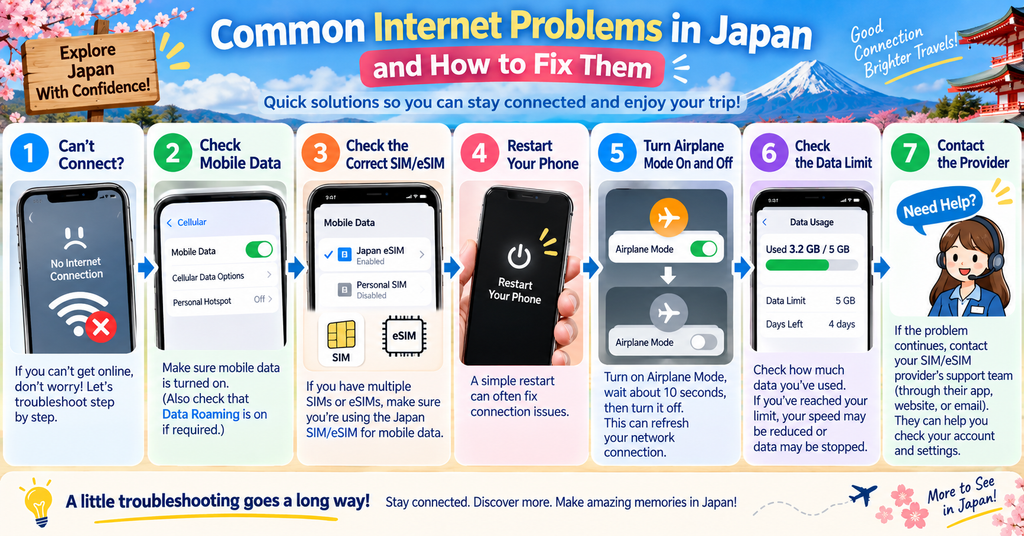
Internet problems can happen even if you prepare your connection before arriving in Japan.
If your eSIM or SIM card does not connect, first check that mobile data is turned on and that the correct SIM or eSIM line is selected for data use.
You may also need to restart your phone or turn airplane mode on and off to refresh the connection.
If you are using a physical SIM card, make sure it is inserted correctly and that your phone is unlocked.
For pocket Wi-Fi, check that the device has enough battery, is turned on, and that your phone is connected to the correct Wi-Fi network.
If the connection is slow, you may have reached a data limit or be in an area with weaker coverage.
When using public Wi-Fi, open your browser and check whether you need to complete a login or registration page before the connection works.
If you still cannot connect, follow the provider’s troubleshooting guide or contact customer support.
It is also a good idea to keep important maps, hotel details, reservation information, and setup instructions available offline in case your internet connection stops working.
Final Tips for Staying Connected in Japan
Having reliable internet access can make traveling around Japan much easier.
For many solo travelers, an eSIM is one of the simplest options, while pocket Wi-Fi can be convenient for families or groups who want to share one connection.
A physical SIM card is also a useful choice for travelers whose phones do not support eSIM.
Free Wi-Fi is widely available in many places, but it is usually better to use it as a backup rather than your main connection.
Before your trip, check your device compatibility, data allowance, coverage, validity period, and setup instructions.
Download important maps, reservation details, and travel information in advance so you can still access them if your connection stops working.
If you prepare your internet access before arriving, you can spend less time solving connection problems and more time enjoying your trip.
Choose the option that best matches your devices, travel style, and data needs, and you will be ready to stay connected throughout your visit to Japan.